Monitor commands
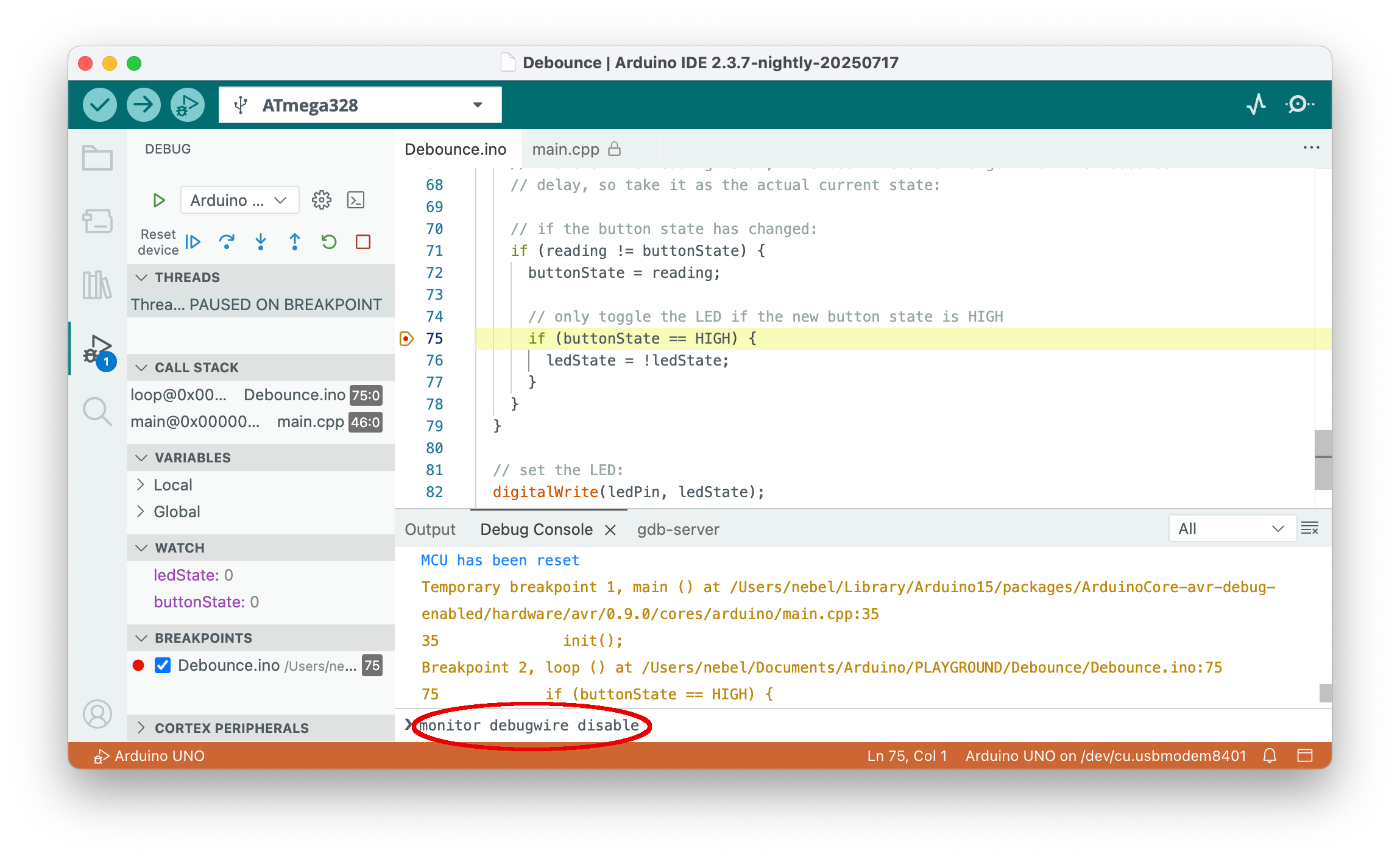
PyAvrOCD implements several monitor commands. These can be used to control important aspects of the GDB server. Two important commands are the monitor debugwire enable and monitor debugwire disable commands, which enable and disable, respectively, debugWIRE mode on MCUs supporting this interface. When using Arduino IDE 2, you can type such commands into the last line of the Debug Console.
| Command | Action |
|---|---|
monitor atexit [stay | leave] |
When specifying leave, then the debugging mode will be left when exiting the debugger. With stay, the debugging mode is not left when exiting. For the debugWIRE interface, stay is the default (in order to avoid power-cycling). For all other interfaces, leave is the default. When you want to re-attach to a running system after leaving debugging, you should choose stay. |
monitor breakpoints [all | software | hardware] |
Restricts the kind of breakpoints that can be used. Either all types are permitted, only software breakpoints are allowed, or only hardware breakpoints can be used. Using all kinds is the default. |
monitor caching [enable | disable] |
The loaded executable is cached in the gdbserver when enabled, which is the default setting. (+) |
monitor debugwire [enable | disable] |
DebugWIRE mode will be enabled or disabled. When enabling it, you may be asked to power-cycle the target, and the MCU will be reset. After disabling debugWIRE mode, one has to exit the debugger. Afterward, the MCU can be programmed again using SPI programming. |
monitor erasebeforeload [enable | disable] |
This monitor option controls whether the flash is erased before an executable is loaded, which is the default for JTAG targets. This option is ignored on debugWIRE targets since those do not support a chip erase command in debug mode. |
monitor help |
Display help text. |
monitor info |
Display information about the target and the state of the debugger. |
monitor load [readbeforewrite | writeonly | noinitialload] |
When loading an executable, either each flash page is compared with the content to be loaded, and flashing is skipped if the content is already there (readbeforewrite), or each flash page is written without reading the current contents beforehand (writeonly). The first option is the default option for debugWIRE targets. For JTAG targets, the overhead of checking whether the page content is identical is so high that the writeonly option is the default. The third option (noinitialload) disables loading code into flash memory. This is useful when one knows that the code is already loaded and one wants to avoid the overhead of reading flash memory content. After an initial load operation, the default is activated again. |
monitor onlywhenloaded [enable | disable] |
Execution is only possible when a load command was previously executed, which is the default. If you want to start execution without loading an executable first, you need to disable this mode. |
monitor rangestepping[enable | disable] |
The GDB range-stepping command is supported or disabled. The default is that it is enabled. |
monitor reset |
Resets the MCU. |
monitor singlestep [safe | interruptible] |
Single-stepping can be performed in a safe way, where single steps are shielded against interrupts. Otherwise, a single step can lead to a jump into the interrupt dispatch table. The safe option is the default. |
monitor timer [run | freeze] |
Timers can either be frozen when execution is stopped, or they can run freely. The latter option is helpful when PWM output is crucial, and it is the default. Note that changing the timer mode will imply an MCU reset. |
monitor verify [enable|disable] |
Verify flash after loading each flash page. The default setting is for this option to be enabled. |
monitor version |
Show version of the gdbserver. |
All commands can, as usual, be abbreviated. For example, mo d e is equivalent to monitor debugwire enable. If you use a command without an argument, the current setting is printed.
All state-changing commands can also be specified as command-line options when invoking PyAvrOCD, e.g., --verify disable. These options will have the same effect as issuing the corresponding monitor command after a connection to the GDB server has been established. The only exception is --debugwire disable. If this option is given, then PyAvrOCD will disable debugWIRE mode and then exit immediately without waiting for a GDB connection.
Commands marked with (+) are not implemented in dw-link.